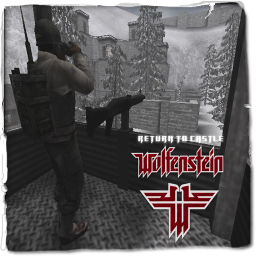
The Allies have set up a position close to an Axis Outpost.
LMS Briefing
The Allies have set up a position close to an Axis Outpost.
Axis Win Text
Yay! Zie Axis Win!
Allied Win Text
Yay! The Allies Have Won!
Scenario
The Allies have set up a position close to an Axis Outpost.
Allies: The Allies have set up a position close to an Axis Outpost. Don't let the Axis steal the secret War Documents!
Axis: The Allies have set up a position close to an Axis Outpost. Steal their secret War Documents

Allied Objectives
Primary Objective: Defend the Allied War Documents.
Primary Objective: Stop the Axis from transmitting the Allied War Documents.
Secondary Objective: Do not let the Axis destroy the Main Entrance.
Secondary Objective: Do not let the Axis destroy the Side Wall.
Secondary Objective: Hold the Forward Bunker.
Secondary Objective: Establish a forward Command Post at the Allied North Barracks.
Secondary Objective: Prevent the Axis from fortifying their position with a Command Post.
Axis Objectives
Primary Objective: Steal the Allied War Documents.
Primary Objective: Transmit the Allied War Documents.
Secondary Objective: Destroy the Main Entrance.
Secondary Objective: Destroy the Side Wall.
Secondary Objective: Capture the Forward Bunker.
Secondary Objective: Prevent the Allies from establishing a Command Post.
Secondary Objective: Set up a Command Post.
🎮 3D Map Viewer –
NOCLIP
🪜 LADDER
📊 Map Info
⌨ Keyboard Shortcuts
W A S DMove forward / left / back / rightShiftSprintSpaceMove up (fly) / Jump (FPS, triple jump)CMove down (fly) / Crouch (FPS, 50% speed)XProne (FPS, 30% speed)NToggle first-person walk modeKRespawn (selfkill) – return to the start position🪜 LaddersIn first-person, walk into a ladder and look up + W to climb (Space up, C down)🌀 PortalsWalk into a teleporter to be moved to its destination⬆ Jump padsStep on a push trigger to get launched+ / −Adjust movement speedScrollAdjust speed (Ctrl+Scroll = brightness)1 – 5Jump to camera bookmarkShift+1–5Save camera bookmarkHToggle this help overlayFToggle fullscreenIToggle map info panelPToggle missing-assets debug consoleESC / RMBRelease pointer / close menu
Click the canvas to capture the mouse. Press ESC to release it.
📱 Touch: left joystick to move, drag the screen to look, right buttons for up / down / sprint. Tap ☰ Menu for all settings.